How can I reverse or cancel a posted document review?
Support accurate, controlled Document Management operations by completing controlled document and document review work with complete master data, traceable approvals, and reliable downstream reporting.
دعم عمليات إدارة المستندات والوثائق الرقمية بدقة ورقابة من خلال استكمال بيانات وثيقة مضبوطة ومراجعة وثيقة واعتماداتها القابلة للتتبع وضمان موثوقية التقارير اللاحقة.
Business objective • هدف العمل
Support accurate, controlled Document Management operations by completing controlled document and document review work with complete master data, traceable approvals, and reliable downstream reporting.
دعم عمليات إدارة المستندات والوثائق الرقمية بدقة ورقابة من خلال استكمال بيانات وثيقة مضبوطة ومراجعة وثيقة واعتماداتها القابلة للتتبع وضمان موثوقية التقارير اللاحقة.
Detailed steps • خطوات التنفيذ التفصيلية
- Open Document Management → Operations → document review. Search for the target document and confirm its company, period, owner, and current status.افتح إدارة الوثائق ← العمليات ← مراجعة وثيقة. ابحث عن المستند وتحقق من الشركة والفترة والمالك والحالة الحالية.
- Open the document and review header values, detail lines, attachments, totals, and validation messages before changing its state.افتح المستند وراجع بيانات الرأس والتفاصيل والمرفقات والإجماليات ورسائل التحقق قبل تغيير الحالة.
- Choose the appropriate action from the Actions menu. Enter a meaningful reason or approval comment; do not use a generic note for reversals or rejections.اختر الإجراء المناسب من قائمة الإجراءات. أدخل سبباً أو تعليق اعتماد واضحاً ولا تستخدم ملاحظة عامة للعكس أو الرفض.
- Confirm the workflow prompt. If approval is required, monitor Workflow History until every stage is completed by an authorized role.أكد رسالة سير العمل. إذا كان الاعتماد مطلوباً فتابع سجل سير العمل حتى تكتمل جميع المراحل من مستخدم مخوّل.
- Verify the final status and document number, then review the audit trail and connected-module posting reference.تحقق من الحالة النهائية ورقم المستند ثم راجع سجل التدقيق ومرجع الترحيل إلى الوحدات المرتبطة.
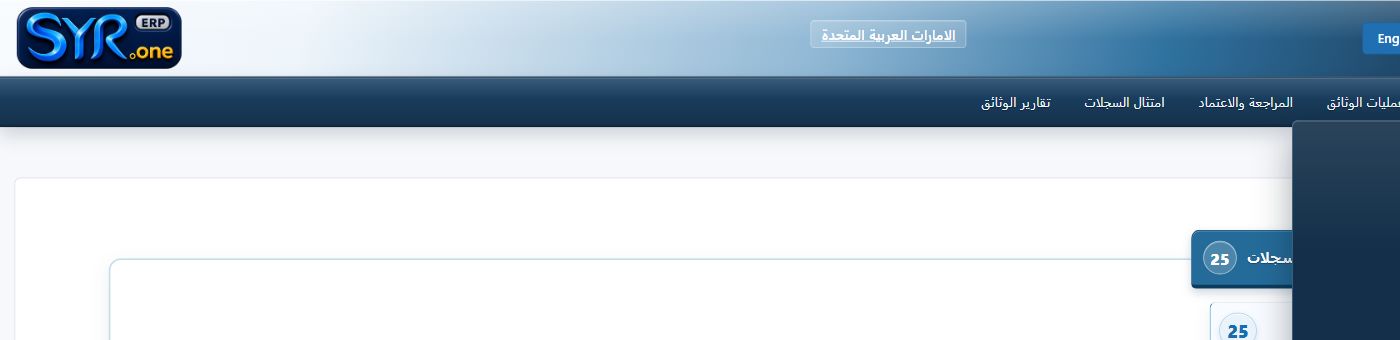
Real menu screenshot captured from the authorized syrone.local demonstration environment; labels and options may vary by tenant. • لقطة حقيقية من بيئة العرض المحلية المصرح بها على syrone.local؛ وقد تختلف التسميات والخيارات حسب إعدادات العميل.
Screen field-entry guide • دليل إدخال الحقول
| Field / الحقل | Requirement / المتطلب | What to enter / ما يجب إدخاله |
|---|---|---|
| Document Number رقم الوثيقة | Required / مطلوب | Enter the approved document number exactly as defined by company policy. أدخل رقم الوثيقة المعتمد تماماً وفق سياسة الشركة. |
| Title العنوان | Required / مطلوب | Enter the approved title exactly as defined by company policy. أدخل العنوان المعتمد تماماً وفق سياسة الشركة. |
| Category الفئة | Required / مطلوب | Enter the approved category exactly as defined by company policy. أدخل الفئة المعتمد تماماً وفق سياسة الشركة. |
| Version الإصدار | Required / مطلوب | Enter the approved version exactly as defined by company policy. أدخل الإصدار المعتمد تماماً وفق سياسة الشركة. |
| Owner المالك | Conditional / مشروط | Complete owner when it applies to this record or transaction. استكمل المالك عندما ينطبق على السجل أو المعاملة. |
| Retention Period فترة الاستبقاء | Conditional / مشروط | Complete retention period when it applies to this record or transaction. استكمل فترة الاستبقاء عندما ينطبق على السجل أو المعاملة. |
Expected result • النتيجة المتوقعة
The record is saved with a unique reference, a valid status, complete audit history, and any required workflow or connected-module reference.
يُحفظ السجل برقم مرجعي فريد وحالة صحيحة وسجل تدقيق مكتمل مع مرجع سير العمل أو الوحدة المرتبطة عند الحاجة.
Troubleshooting • معالجة الأخطاء
If the action is unavailable, confirm company/branch context, open period, record ownership, required fields, workflow status, and role permissions. Use the validation log rather than repeatedly resubmitting unchanged data.
إذا لم يكن الإجراء متاحاً فتحقق من سياق الشركة والفرع والفترة المفتوحة وملكية السجل والحقول المطلوبة وحالة سير العمل وصلاحيات الدور. استخدم سجل التحقق ولا تكرر الإرسال دون تصحيح البيانات.